PUM Companion 3.0.x Release
Dear Companions,
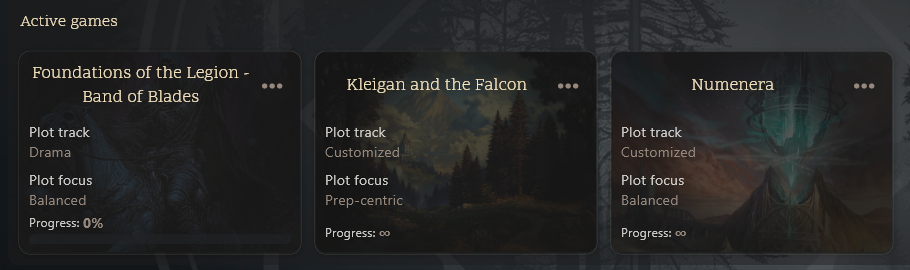
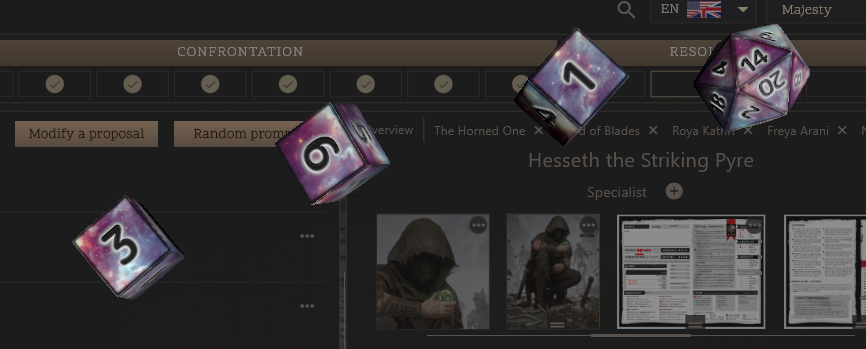
I am thrilled to announce and start the release of PUM Companion’s 3rd year, as it just turned 2 years old! For 2026, our favorite solo RPG app includes massive core updates and a brand new World Building mode.
 Watch it on YouTube:
Thanks to the amazing Community Testers @Squishyjellyfish The Promptsmith @Pandora @Dr. Casey – The New Collector @tslays for hardening the huge release. Check our discord to meet them!
 In a nutshell
- Brand new World Building mode to organize your games, lore, and library to seed stories from
- Continuous Cloud Sync save games
- PopOut sheets, PDFs, and journals for Windows and MacOS
- Asset Management centralized (formerly Templates)
- Better Character Sheets and Maps Controls
Note: Please backup your games .pumc before the update lands
3.0.8
Bugfixes
- Restored the Crop tool in the image editor with fixed positioning bug
- Allow classification and bulk operations on World Building assets
- Fixed a bug where commit collision could corrupt a cloud sync save
- Fixed iOS issue where
.pumwfiles could not be loaded as file - Increased the zoom levels of the image editor proportionally to resolution
- Fixed issue on naming entity templates restoring to blank
- Hide timed events against disabled plot nodes
- Setup sane image resolution limits to avoid running out of memory (new uploads)
- Expand/collapse world building states are not cloud sync data
- Expand/collapse world building states are remembered
- Importing entries from several stories into a World now warns duplicates
- Lowered pixelation and improved image aspect ratio defaults
3.0.7
Bugfixes
- Fixed missing Android swipe selection gesture in rich editor
- Fixed renaming entity templates in World Building assets
- Fixed MacOS compatibility with Globe/Fn+F search shortcut
- Fixed stale Random Table assets on text autocomplete
- Fixed image editor exclusivity when editing the grid
- Image editor cropping feature disabled due to geometry issues
- Image editor tick tools can now be repainted to any color
- Allow tables in text journals to be resized from the left
- Cloud Sync footer no longer labels errors or signed out as conflict
- Open entity tabs persist on device without game sync
- Popout windows now correctly set focus and position priority
- Grids now have thickness and opacity slider controls
- Tokens and icons can now be labeled for convenience
- Included basic filesystem health checks upon launch (desktop-only)
- AI Assistant: Log-area writing keeps a newest-story continuity window when context is over budget
- AI Assistant: Log-area writing shrinks planner lore after dropping expendable context in the wrong order
- AI Assistant: Fixed ComfyUI/Ollama being required to have a model ID
3.0.6
Bugfixes
- Fixed MacOS PDF rendering issue
- Fixed image editor sometimes not closing
- Fixed in-world decks not persisting state properly
- Added right-click to paste a portrait image in world
- Improved UI titles on filters and title to better screen space
3.0.5
Bugfixes
- Added missing support for pinned images/PDFs in World Building
- Improved large maps stability when moving tokens and widgets
- Image editor defers autosave while a token or marker is being placed
- World Building mode remembers scroll position after exiting images
- World Building mobile navigation is adaptive to the possible paths
- Middle and right mouse no longer drop a sticker or marker while panning
- Tick-marker hover ghost uses the same widget as the placed marker
- Cards widget: better menu and tap to card indicators, popout support
- Renamed “Device” assets hierarchy into Global -> World -> Story
- Added missing navigation controls to images in World Building
- Added missing show built-in assets on mobile view
- Duplicate Assets into an independent copy (
Name (1)) - Built-in assets can no longer be deleted or edited
- PDF Viewer has now a collapse bookmarks button for convenience
- Mobile World Building grid view now still shows the favorites
- Image editor recovers history from the backup sidecar if the live one is missing
- Fixed Random array widget’s overlapping stretch handle
3.0.4
Bugfixes
- Fixed 3D Dice breaking and then crashing the app after using a PopOut window
- Allow gamemaster to be imported and exported from world into games
- World story “Remove from world” dialog can also delete the game from this device
- Cloud Sync waits for leftover uploads before quitting from the main menu
- Various UI tweaks on hover effects and context menues
- Reverted a native library version which might have caused MS Store crashes
3.0.3
Bugfixes
- Cloud Sync indicator works passively with a subtle green indicator
- Cloud Sync strategy performs less handshakes accumulating changes instead of queueing
- Added “Copy to library” for images/PDFs in a world’s story
- Fix Copy/Paste not working from Gamemaster’s notes in World Building mode
- Plot Node rectangles in World Building mode are fully clickable
- Navigation in a Story’s tab bar in World Building mode remembers the tab
- Images and PDFs from a gamemaster are now copiable to World Building library
- Fixed wrong word counts in World Building game’s summary
3.0.2
Bugfixes
- Opening tabs, logs, or AI chats no longer causes cloud sync
- Fixed laggy responsiveness of the library sidebar actions
- Better library multi-select count and delete confirmation texts
- Library sidebar auto-scrolls while dragging and expands folders
- Folder multi-select no longer silently selects hidden contents
- Add New folder to library context menu for convenience
- Tapping empty space exits multi-select mode
- Multi-select right-click always opens the batch menu
- Library right-click row stays highlighted while menu is open
- New subfolder is inserted at the top of the folder you right-clicked
- Filtered library drag/reorder uses original sibling indexes
- Creating or moving into an off-screen folder scrolls to it
- Discard on an RPG table now leaves edit mode and returns
- “Choose or add new” is now a game-wide Plot Nodes setting
- Plot Nodes panel button to hide disabled plot node entries
- Fixed crashing due to opening multiple PDF PopOuts
- Fixed using the cards widget in PopOut image editors
- Fixed campaign mode Open Sheet for PopOut image editors
- PDF Extract Sheet allows choosing image type (sheet, map, image)
- PDF Extract Sheet function now usable in Campaign mode
- Fixed deleting, renaming, and navigating journals in campaign mode
- Harmonized cloud sync icons across the app dialogs
- Vault cloud update now checks campaigns and their linked stories
- Added missing Assets button on a collapsed campaign sidebar
- Corrected favorites collapse icon direction
- Fixed World Building words counter to count story logs
- Show 3D Dice extra even when on linux for purchasing
- Show feedback on extras validation if there are network errors
3.0.1
Improvements
- Plot Nodes panel now shows Notable characters and Interesting Locations
- Better Plot Nodes panel with shortcuts to Random Prompts and information
- Add Media Buttons on entities are now always visible instead of at the back
Bugfixes
- Fixed Cloud Indicator in Campaign mode not updating on login/logout
- Fixed Cloud Dialog backup to have same in-game UI
- Fixed Extras DLC dialog not giving post-purchase feedback
- Fixed Extras DLC dialog missing retrieve button
- Fixed entity templates not self-containing asset files
- Fixed Linux ghost window on exit
3.0.0
New Features
- World Building mode: Organize campaigns, your library, and reusable assets
- PopOut Windows (Win/MacOS): detach PDFs, Sheets, and Journal windows
- Cloud Sync: Continuously and automatically keep saves up to date
- iCloud Support (MacOS/iOS): Sync saves with iCloud Drive
Improvements
- Redesigned Main Menu: a new experience with World Building support
- Cloud Saves Manager: browse, organize, and cleanup save data from the app
- Character Sheets: Sheet markers, better snap alignment, and layer placement
- World and Battle Maps: Snap to grid, distance measure rulers, and map markers
- Better image editor: Better manipulation controls, improved drawing tools, and more widget tools
- Text Editor: Draw from random tables and oracles, better in-line dice rolls, and improved text tables
- Templates Manager: organize sheets, tables, decks of cards in one convenient place
- Scene Location: Indicate where characters are in the story as you journal
- Random Tables Bulk Import: Upload a single file with multiple tables
- PDF Reader Tweaks: better layout modes, favorite bookmarks, and tools
- In-Game Compendiums: Support for barebone notes and PDFs
- AI Extra: Updated baseline to 2026 standards, larger context windows and better agent strategies, Anthropic API
- Widgets Extra: Improved widgets, checkbox now allows stretching, allow color painting
- Persist Window Layout (Desktop-only): Setting allows to remember the window placement
- Architecture improvements: Better save game, asset template management, performance tweaks
This release was months of effort and hard work, I hope you enjoy it tenfold!
JeansenVaars

Login
0 Comments
Oldest
Related Posts
PUM Companion 3.1.x Release
PUM Lite – Free Solo RPG App
PUM Companion 2.11.x Update
PUM Companion 2.10.x Update

PUM Event #3: Immortal Chicago
PUM Companion 2.9.x Update
PUM Companion: AI Assistant 2.9.0 Release!
PUM Companion 2.8.x Release

Plot Unfolding Machine 9.0 Released