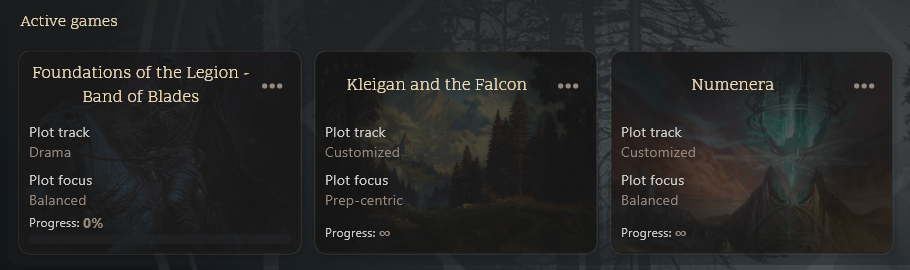
PUM Companion 3.1.x Release
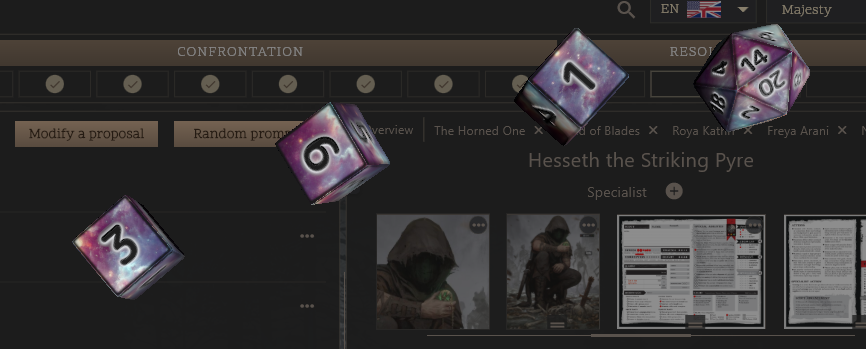
Dear Solo RPG players and tabletop RPG enthusiasts! The PUM Companion app for world building and storytelling kicks in with a new major update v3.1.x which brings incredible new features, TLDR:
- Play Co-op with other real players! The app is no longer only-solo, it’s multiplayer too!
- Crystal Theme visual effects, theater of the mind, and daydreaming modes
- Builder Widgets can be now used within text journals
- Decks & Cards allows playing cards in hands and with selectable non-random cards
- Included journaling panel in the World Building mode for progress
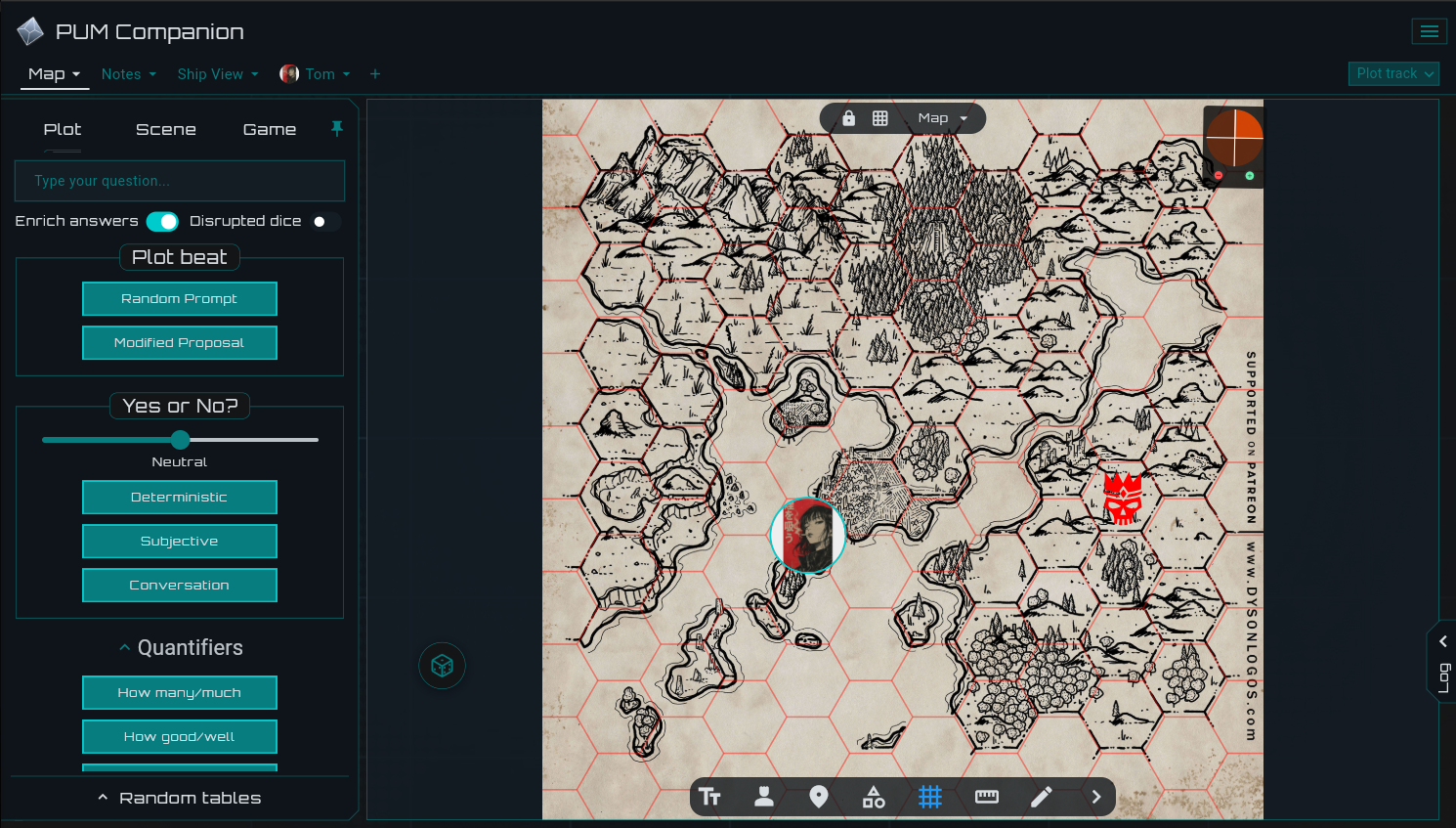
Here’s a quick look into the new Coop Multiplayer mode:
This is a massive update, and starts to show how much the app can expand into new horizons since version 3!
Enjoy, keep the hobby rolling, and recommend PUM and the app if you’re enjoying it!
3.1.16
Bugfixes
- Fixed drawing a card in a world journal when you already have decks
- Fixed PDF links in a world journal showing as missing and not opening
- Fixed character mentions in a full-screen world journal not opening
- Fixed log actions in a full-screen world journal posting to the wrong place
- Fixed table results in journal chips showing the markup instead of the text
- Fixed a Microsoft Store issue where non C:\ installations would fail to operate
- Fixed a rare issue where language texts would not be ready when the app launches
3.1.15
Between 3.1.7 (Oct. 20) and 3.1.14, any weighted tables created without a formula would let
the app guess the formula automatically. Unfortunately, the guess was wrong and it was saved
along the table. This would require user’s manual fix. Clearing the formula field is enough.
Improvements
- AI: Chats in games and worlds can answer from character sheets
- AI: Dice roll interpretations take the sheets of characters in scene
- AI: On careful strategy, the AI looks at sheets directly for the more accuracy
- AI: Visual consistency in worlds: new images of an entity keep its look
Bugfixes
- Fixed weighted tables wrong formula calculation
- Fixed empty formula fields no longer fill automatically
- Fixed formula leaking issues when using nested tables
- Removed any risky guesswork and parsing of table formulas
- Hide scene location if not set in world building
- AI: Much more accurate sheet reading, now done by main model
- AI: Sheets are no longer missed when several characters are in a scene
- AI: Image reading no longer wrongly disabled on unrelated model errors
- AI: World art and writing style are kept in long requests
3.1.14
Bugfixes
- Fixed dice roll entries not catching special formulas
- Fixed dice roll entries show the label of custom dice roll
- Fixed dice roller buttons unnecessarily wide
- AI: Fixed book preparation failing on careful with reasoning models
- AI: Overall faster and cheaper responses with controlled reasoning
- AI: Utility model operations no longer cut off long replies
- AI: Utility model is applied in less areas where the answer matters
3.1.13
Features
- Customizable dice roller available in all modes
Bugfixes
- Standardized keyboard shortcuts to select and navigate in rich editor
- Fixed various UI quirks in image log action, number, and clock widgets
- Fixed app crashing on Windows Store after playing videos with 3D Dice
- Fixed some missing token images after importing stories from worlds
- Fixed certain cloud sync dialogs and wrong PDF border colors
- Fixed contrast and shadow of widgets in the image editor
- AI: Added PDF Page Shifting on sourced PDFs from a chat
- AI: Fixed game creation issue with play by the book on some PDFs
- AI: Updated Gemini speech models to avoid deprecation
3.1.12
Features
Summary: AI Assistant engine got a backend improvement, enabling
connected LLMs to perform visual, retrieval, and video operations.
Instruct, chat, and game creation operations improve significantly.
- AI: Game draft creation from PDF Source material
- AI: PDF and source retrieval, local document indexing
- AI: Video generation in logs, from text and images
- AI: Visual consistency in image generation (models can see)
- AI: Visual sheet readings on include mechanics (sheets)
- AI: Use mechanics revisited to achieve a gamey expectation
- AI: Create random tables (Source groudned) with a prompt
- AI: Extract random tables from PDF pages
Bugfixes
- AI: video’s image thumb generation now on first frame
- AI: fixed video playback repeats twice on android
- AI: fixed UI theme colors in model settings
- AI: better detection of wrong/empty text models
- AI: improve shown errors on wrong schema parsing
- AI: revisited settings and help texts all over
- Coop: Fixed copy/pasting behaviors in text tabs
3.1.11
Features
- AI: Generate videos of your story from log entries
- AI: Images and videos are aware of portraits and covers
Improvements
- Improved manipulation and selection of tables in journals
- Improved mobile text selection and handling in journals
- More visible import/export controls in world building assets
- Reviewed navigation title spacing in world building
- AI: offer retry image/video generation with safer words
Bugfixes
- Fixed creating entities from a template lose their editables
- Cloud Sync: fix wrong damaged saves on broken image links
- Fixed calculation of last image editor widget size
- Fixed mobile log context showing below keyboard
- Fixed oracles and logs viewer overlay closing too soon
- Fixed copy-paste of tables to remember source properties
- Fixed world building sidebar reordering depending on input
- Removed delay animation when switching through journals
- Adjusted plain copy/paste ctrl+shift+c/v for format strips
- AI: fixed GPT Image models family through OpenRouter
- AI: corrected wrong prompt limits in image generation
3.1.10
Bugfixes
- Image Editor: fix bug where text layers can get stuck in editing
- Image Editor: Fix stuttering/shifting text layers on mouse over
- Fix log panel re-scrolling when switching to other views
- Fix theater mode disappearing borderless mode handle
- Select many in the log no longer reveals hidden beat jumps
- Mobile log panel no longer jumps when hiding/showing the keyboard
- Fixed an issue entering ToTM mode while a character sheet was open
- Fixed selected items in image editor bleeding outside the UI
- Coop Plot View now visible on PUM-less mode as well
3.1.9
Improvements
- PDF form imports combine matching checkbox rows for better usage
- Imported PDF fields start layout-locked to prevent movement
- Individually locked text layers can now be edited without unlocking
Bugfixes
- Fixed a crash extracting sheets from PDFs with unembedded fonts
- Fixed text layer jumpiness glitch on first time selection
- Scroll to the end to show recently parsed PDFs in characters
- Add multi-page extractions in order when adding from PDF
3.1.8
Improvements
- Image Sheets layer adjustment and resizing fixed in mobile
- Image Sheets widgets show their edit controls only when selected
- Image Sheets dice arrays take less space
- Image Sheets clocks advance with forward and back buttons
- Image Sheets progress tracks start at a size closer to other widgets
- Image Sheets text boxes can be left empty without disappearing
- Image Sheets text boxes show text that doesn’t fit instead of cutting it
- Image Sheets text boxes can change text size without resizing the box
- Image Sheets text starts fully selected when editing on desktop
- Image Sheets text editor toolbar is now centered
- PDF form fields now start empty and use the PDF’s own text sizes
- Text no longer jumps when you start editing it on the sheet
- Text box edges now show as soon as you turn the box on
- PDF form fields keep their grey background when edited
- Number widget variable dialog now matches the app style
- Cloud Sync and Autosave won’t interrupt in-line editing now
3.1.7
Features
- PDF Sheet now reads Form-Fillable PDFs into image sheets
Improvements
- Image sheets text are now edited in-place on desktop
- Image Sheets text fields now can be resizable boxes
- Image Sheets progress and checkbox stretch smarter
- Image Sheets have easier to use widget controls on mobile
- Input logs now allow in-line widgets (and copy-paste)
- Tweaked behavior for mobile tables in text rich editor
- Relaxed Random Table text parsing to be more permissive
- Added a portrait widget in the image sheets editor
- Theater of the Mind corrected interaction freeform logs
- Initials on tokens can now be customized along a label
- Campaign library Tag View can collapse and remembers
- Campaign library Collapse all / Expand all in sidebar
Bugfixes
- Parse markdown within in-line backtic rolls
- Avoid image editor re-save on close if up to date
- Speaker selection no longer requests focus
- PDF Viewer full screen button moved first
- Added missing “Combine pages” toggle from PDF extraction
- Slightly bigger image editor control buttons on mobile
- Tap a character’s name on a dice roll now opens sheet
- Spontaneous characters no longer open the GM sheet
- Added missing plot track length scaler in-game
- Standardized dice rolls copy-paste text from entries
- Clearer send to log toggle button in oracles
- Can now use the speak action from a character’s view
- Fixed Theater of the Mind mode with Freeform logs
- In-line widgets have now a safer label limit and width
- Fixed a length issue on exporting freeform logs
- Render table rolls with markdown also supported in PDF
- Support bold italic combinations in markdown rendering
- AI Assistant: Added missing illustrate action on rolls
- AI Assistant: Save prompts when an AI instruction fails
- AI Assistant: More helpful errors upon error dialogs
- AI Assistant: Tidier UI for prompt dialogs
3.1.6
Bugfixes
- Stop Android from passing file bytes through platform channel
3.1.5
Improvements
- Plot Track length property multiplier (can shorten plot track)
Bugfixes
- Fixed narrative dice sometimes rolling wrong results
- Fixed Fate dice rolls with dice sets missing dF
- Fixed oracle panel hint text alignment
- Fixed share game popup field alignment
- Fixed Crystal dark mode leaking into other themes
- Fixed Crystal PDF backgrounds on entries across pages
- Fixed coop mode crop images on smaller screen devices
- Fixed coop add tab positions to stay put on scroll
- Fixed coop mode oracles becoming unnaccessible
- Tapping a selected scene character opens its menu
- Scene location only shows with Crystal scene backgrounds
- Image editor character name labels can be tinted
- Renamed Checkbox marker widget to Check tracker
- Clearer link to character dialog, showing tab contents
- Darker Crystal PDF background for better contrast
- Mobile Advance Plot now liberates log text space
- Mobile word counts appear as a navigation badge when visible
- Fixed deleting in-text widgets and codeblock detection
- Fixed adding images in the rich editor positioning
3.1.4
Bugfixes
- Coop mode log entry supports speaker and formatting
- Fixed various spacing issues on mobile in-game
- Fixed table and character links in tablet devices
- Fixed analog view oracle animations setting agnostic
- Dice Roller docks above the logs in coop and world
- Corrected mobile views on PUM-less modes
- Quick-create Document entity now creates a blank note
- Removed wasteful spacing in world building mobile
- Added missing 2D dice roller in analog view
- Increased contrast on dice roller icons
3.1.3
Features
- Brand new freeform storytelling log type (fully functional)
Improvements
- Better image manipulation in text editor
- Better card drawing widgets in text editor
- Oracles and tables in text now show a title (setting)
- Mobile UI now favors docked dice instead of floating
- World Building dice roller on the log panel in desktop
Bugfixes
- Harmonized borders and entity view panels for crystal
- Fixed coop grid synchronization issue
- Fixed coop dice rollers not always showing peek card
- Fixed coop log submitter not being visible to players
- Corrected setting to toggle speaker mode in logs
- Mobile journal previews in-game look like world mode
- Mobile world mode hides the navbar while typing
- Fixed text editor not being able to select/resize images
- Fixed text editor inserting unnecessary empty lines
- Fixed text editor not detecting selected format tools
3.1.2
Bugfixes
- Fixed bad interface in world building entity view
3.1.1
Bugfixes
- Added expandable journal entries in world building
- Fixed cloud sync not able to download recoverable saves
- Fixed cloud sync sometimes not detecting newer saves properly
- Fixed clearing out daydreaming mode when switching out of crystal
- Better conflict resolution on cloud sync games made from same copies
- Better edge smooth transparency on crystal theme scrollbars
- Improved robustness in partial/disconnected uploads
- Clearer workflows for reconnecting stories to worlds
- Remember filters when navigating folders in world building
- Allow for individual cloud sync checks from the main menu
3.1.0
Features
- Multiplayer Co-op mode for Group and Play-per-Post playing
- Insert Builder Widgets in-line on text rich editor journals
- Decks of Cards now support “in-hand” and “selectable” playstyles
- Crystal UI “Theater of the Mind” and “Daydreaming” modes
- Crystal Theme visual effects, rotating backgrounds, and custom fonts
- New design for the 2D Dice Roller and dice roll entries
- World Building mode now supports a log panel for quick journaling
- Guided Setup mode now supports a log panel game preparation
- Play without PUM rules now possible as configurable per game
Improvements
- Pin rollout panels permanently instead on based on screen width
- In-game split screen now slides both ways entirely
- Speed up Cloud Sync downloads especially on first time bulk requests
- Guided Setup screen has now dedicated mobile interface
- Guided Setup allows ideas generation for characters and locations
- Better controls for drawn cards to the log (copy image, send to)
- Builder Widgets now support opacity and color settings on images
- Plot Tracks may be changed mid-progress in-game (retains progress)
- Main menu and world building modes allow repositioning images
- Image editor allow double-click to edit text and Ctrl+Enter to submit
- Less restrictions when moving, editing, and changing entry logs
- Can now import plot nodes from sibling stories of same world
- Can now read World Building journals from the Gamemaster in-game
- Font Scaling now reaches more places in the app text sizes
- Gamemaster initials token will use standard GM, DJ, SL, etc.
- Custom 3D dice packs can optionally ship icon2d for 2D icons
Cheers and regards,
JeansenVaars

Related Posts
PUM Companion 3.0.x Release
PUM Lite – Free Solo RPG App
PUM Companion 2.11.x Update
PUM Companion 2.10.x Update

PUM Event #3: Immortal Chicago
PUM Companion 2.9.x Update
PUM Companion: AI Assistant 2.9.0 Release!
PUM Companion 2.8.x Release

Plot Unfolding Machine 9.0 Released